.png)
How can I assign different activities to different groups of students?
Before assigning different activities to different groups of students in your class, you first need to divide your students into ability groups. When you log into your Happy Numbers account, you will find on your class page a new column, called Groups.
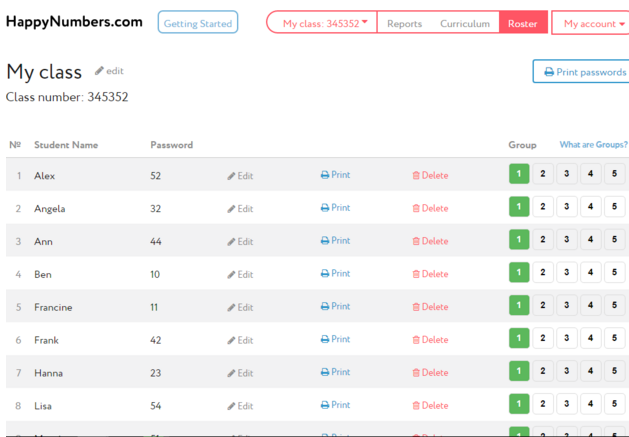
By default, all students begin in Group 1, but can be sorted into as many as 5 groups with just a few clicks of the mouse.
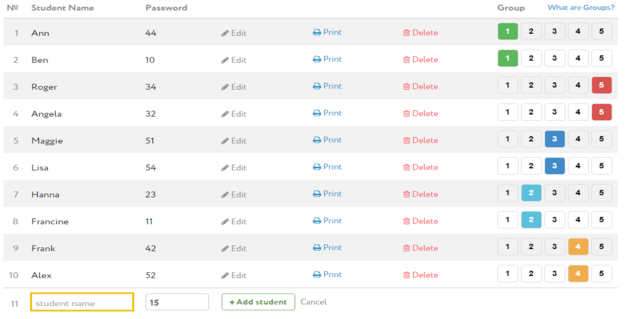
Once you set up your groups, you will see that the ‘All topics’ page now allows you to assign exercises to each of the groups independently.
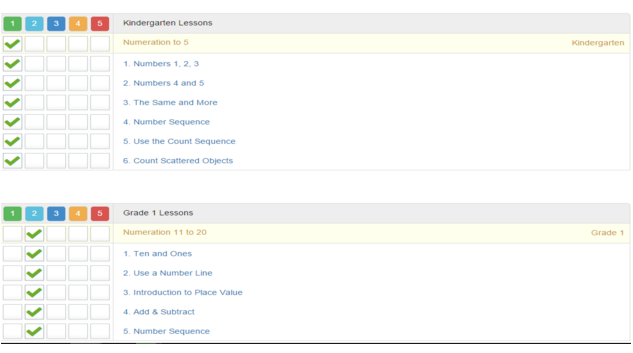
Exercises selected for one group will appear in the accounts for the students in that group but not for others. If desired, you can assign an exercise to more than one group.