.png)
How do I print my students' passwords?
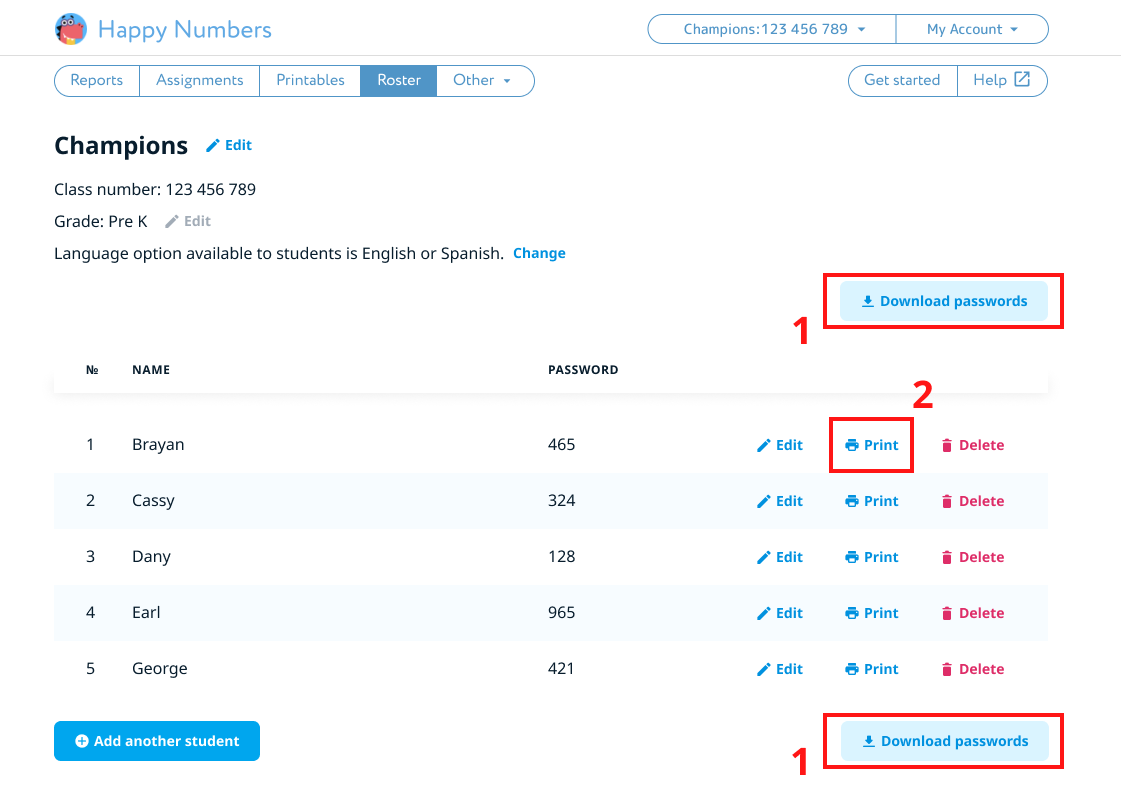
Log into your Happy Numbers teacher account and visit the Roster section. Click "Download Passwords" (1) to save or print all of the students log in information as well as the Dino poster with your class number. You can also click "Print" button (2) next to each student to save or print individual log in information.