.png)
How do I create a class?
This article explains how to create classes manually.
Using Clever in your classroom? Learn how you can set up Happy Numbers account with Clever!
Create a class
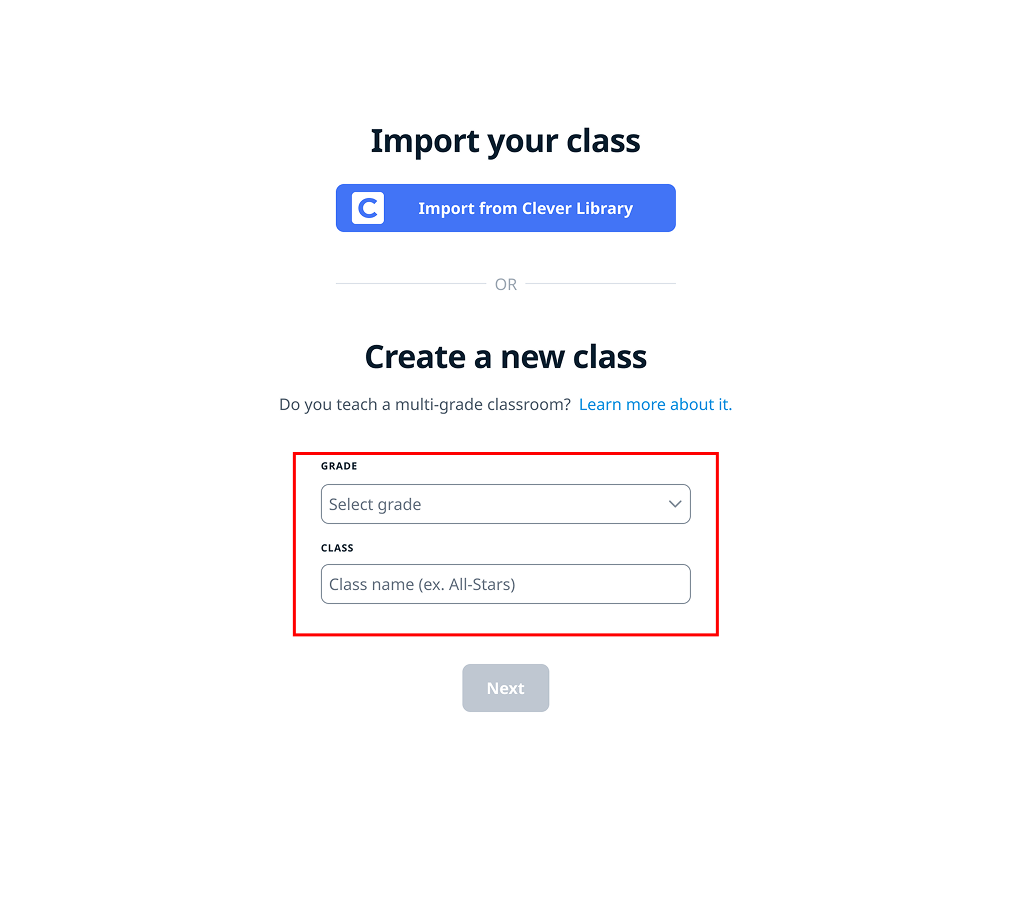
Choose the grade you teach in the dropdown menu and create your class name.
If you are a SPED teacher and teach students at different levels, please select the grade that would fit best. Picking up the wrong grade might cause inconvenience and result in a slower learning process since the curriculum might be just tough. You can also take a look at our Multigrade Guide on how you can get different grades enrolled.
Add your students
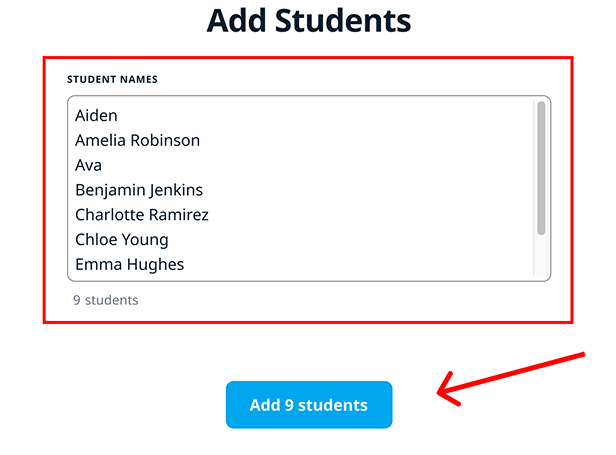
To add your students, type or paste their names, with each name on a new line. You can enter real names in any format or use nicknames, but make sure the children will recognize and select the correct account when logging in.
Click the "Add students" button once you’ve confirmed that the number of students is correct.
Check your class
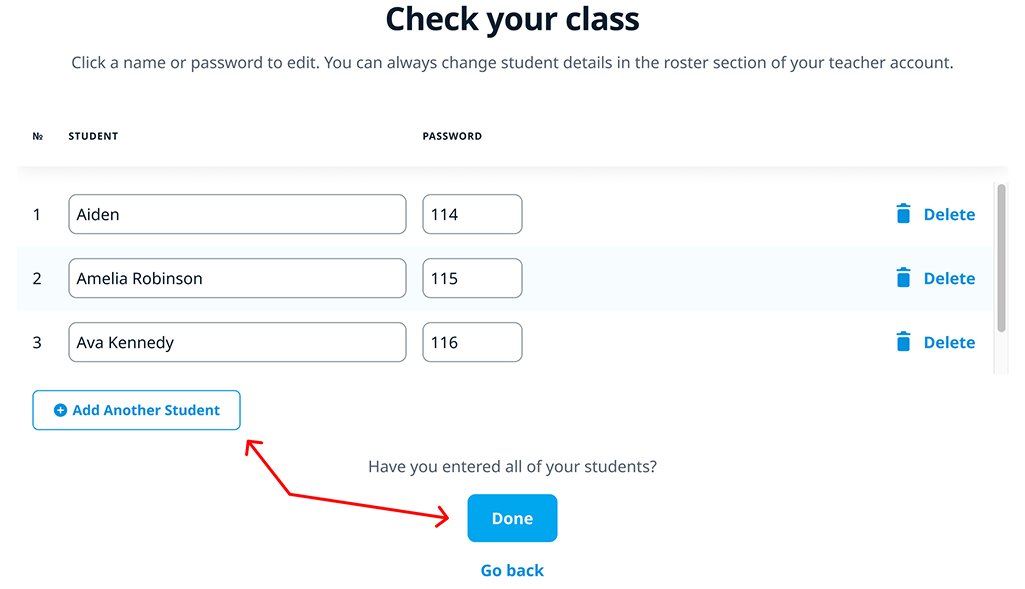
Check your class. Review the list of students and passwords.
-
Click a name or password to edit.
-
Use "Add Another Student" to include more.
-
Select "Delete" to remove a student.
When finished, click "Done" to confirm your class.