.png)
Assessment Report
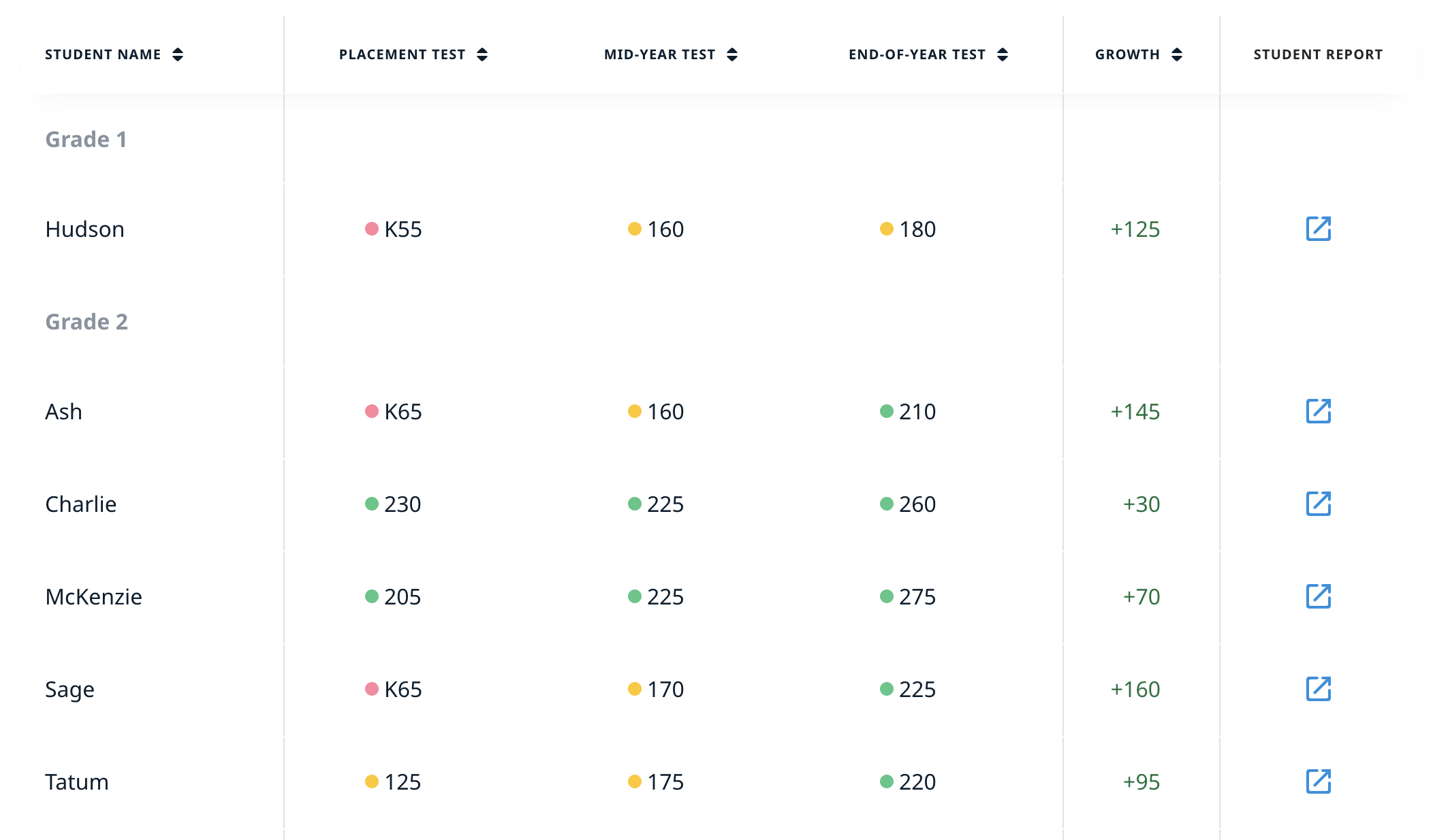
We’ve designed an Assessment Report to provide teachers with a convenient option to launch assessments and interpret the results. This dashboard lets you set the test dates and track the details on three formal assessments: Placement Test, Mid-Year Test, and End-of-Year Test.
How to set up the assessment
The Placement Test launches automatically when students log in. The Mid-Year Test and End-of-Year Test must be scheduled.
To activate an assessment, turn on the toggle, select a date, and click Apply. You can change the date before the assessment begins or disable the assessment at any time.
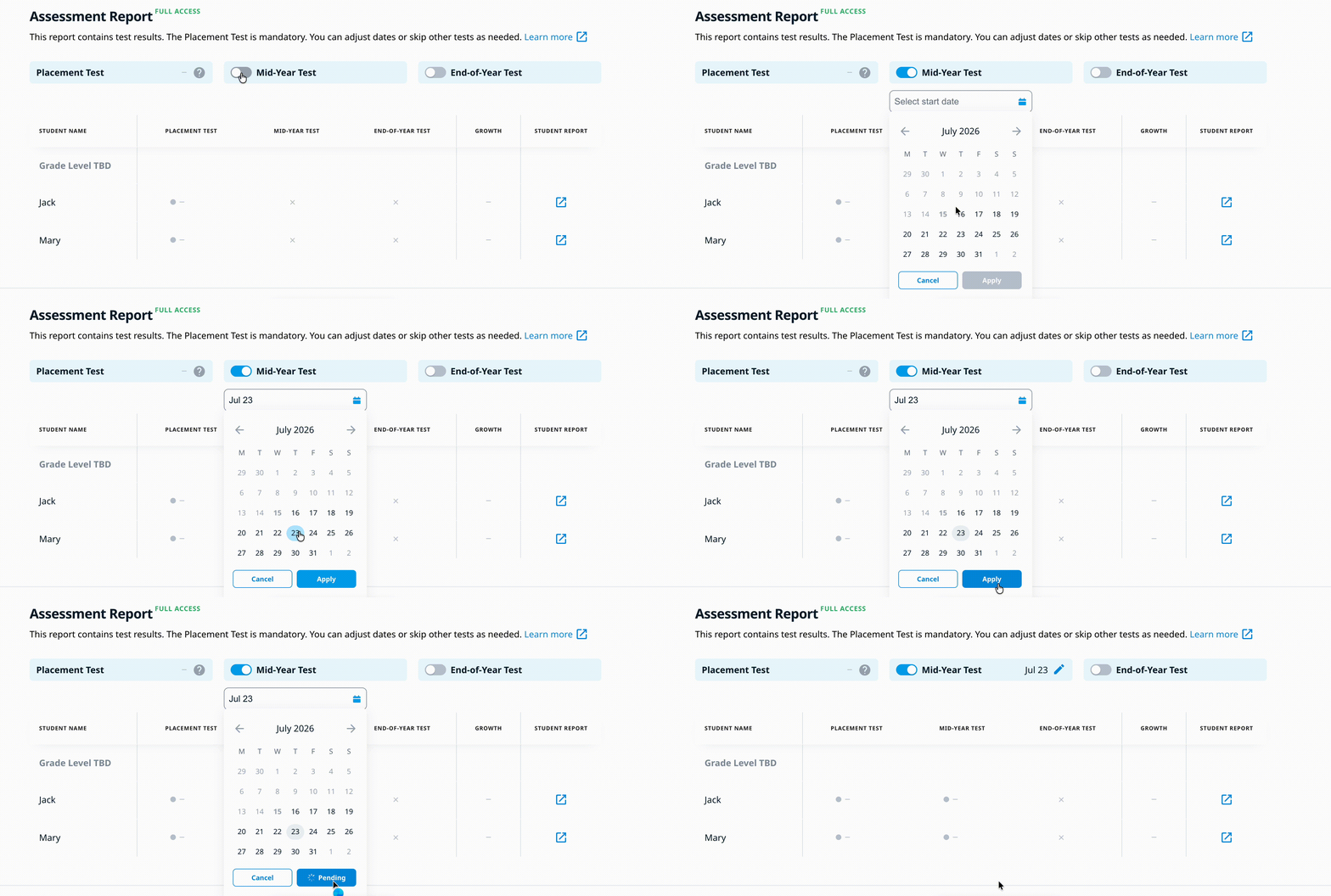
Note: only Premium users can choose test dates. This option is not available with a Basic Classroom license. To learn more about the differences between license types and the features included with each, please visit this page.
Student list
In the student list, you can view each student’s Happy Numbers score and growth. Learn how to interpret the score scale here.
Growth is calculated as the difference between the student’s most recent assessment score and their Placement Test score. Premium users can also view results in Quantiles®. To request access to Quantile® results, please contact our support team at support@happynumbers.com.